Key takeaways
- ElevenLabs can clone your voice from 1 to 2 minutes of clean audio, then read any script in it.
- Audio tags in square brackets, like
[sarcastic],[whispers]or[bursts out laughing], tell the voice how to say each line. - I used Eleven v4 Turbo with stability 50 and similarity 75. My exact script and settings are below.
- You need a paid plan for cloning. Starter is the cheapest one that includes Instant Voice Cloning.
The voice in my latest Instagram story laughs, whispers, gets sarcastic and pauses at the right moments. It isn’t me. It’s an AI clone of my voice, and all I did was type the script with a few tags in square brackets.
Here is the full setup, step by step, with my exact script and settings so you can copy them.
Hear it first
This is the file straight out of ElevenLabs, no editing.
What you need
- An ElevenLabs account on a paid plan. Instant Voice Cloning starts on the Starter plan. Sign up for ElevenLabs here.
- 1 to 2 minutes of you talking, recorded clean. A phone held close in a quiet room is fine.
- A short script. Start with 20 to 40 seconds so you can hear what works quickly.
The ElevenLabs links on this page are affiliate links. If you sign up through them I may earn a commission, at no extra cost to you. I only link tools I actually use.
Step 1: record a clean sample of your voice
The clone copies everything in your sample: your pace, your accent, your breathing, and also any echo or background hum. So the recording matters more than anything else in this guide.
- Talk for 1 to 2 minutes. ElevenLabs says going past about 3 minutes adds little and can make the clone worse.
- Only your voice. No music, no TV, no second person.
- Pick a small room with soft things in it (a bedroom works better than a kitchen).
- Keep one speaking style. Talk the way you’d talk in your videos, not half shouting and half whispering.
- Read something that sounds like you: a caption you wrote, or explain what you do for work.
I didn’t record anything new. I used the clean audio from two of my reels, about two and a half minutes in total.
Step 2: create the Instant Voice Clone
- Log in to ElevenLabs and open Voices in the left menu.
- Click the + button and choose Instant Voice Clone.
- Upload your recording (or record straight into the browser).
- Give the voice a name you’ll recognise. Mine is “Saqib (own voice)”.
- Tick the box confirming you have the right and consent to clone this voice, then click Save voice.
That’s it. Instant clones are ready in seconds. There’s also a Professional Voice Clone on higher plans that trains on much more audio, but for social content the instant one is enough.
Only clone your own voice, or a voice you have clear written permission to use. Cloning someone without consent breaks ElevenLabs’ rules, and every file can be traced back to the account that made it.
Step 3: pick the model
Go to Text to Speech, choose your cloned voice from the voice list, then open the model menu.
- Eleven v4 Turbo is what I used. It’s the newest generation, fast, and it handled every tag in my script.
- Eleven v4 is the highest quality option, made for voiceovers and audiobooks. It’s worth comparing both on your own voice.
Audio tags work on Eleven v4, v4 Turbo and v3. The older v2 models aren’t built for them, so stick to one of those three.
Step 4: write your script with audio tags
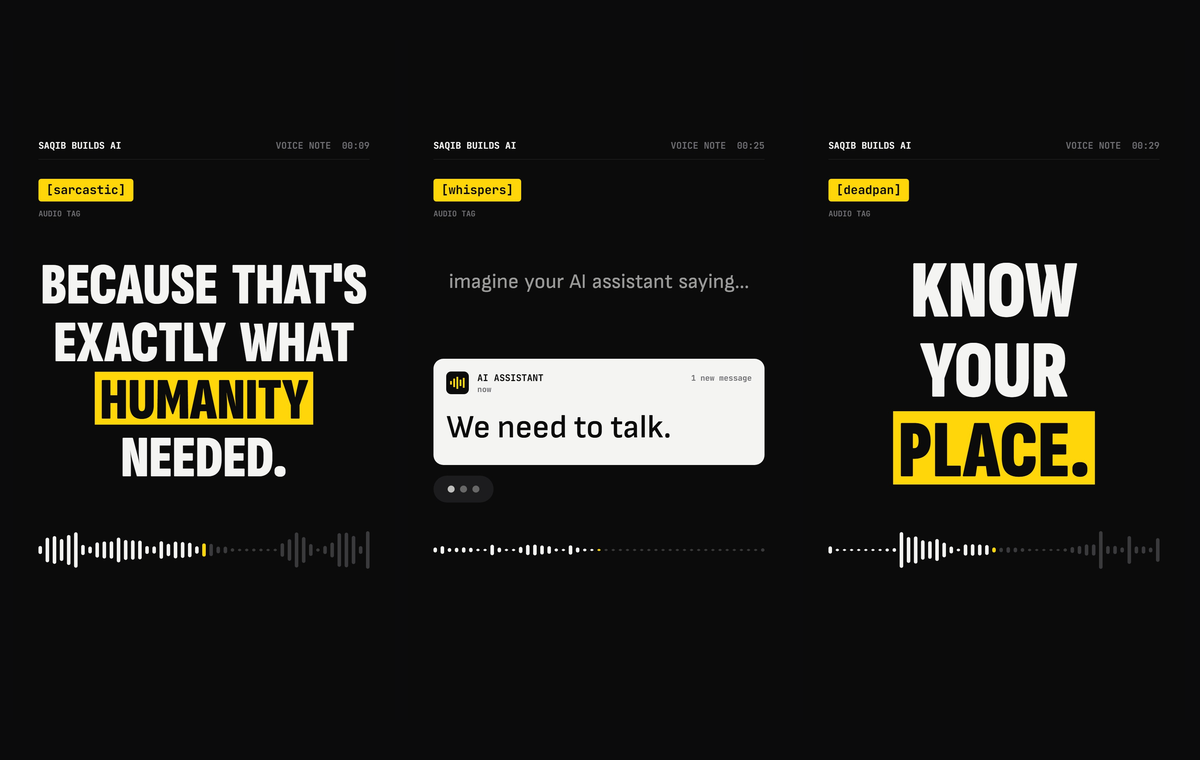
An audio tag is a short direction in square brackets, placed right before the words it should change. Think of it as a note you’d give an actor. Here is the exact script from my story:
[casual] So apparently, AI can now laugh, whisper, cry, and express emotions.

[short pause] Which is amazing.

[sarcastic] Because that's exactly what humanity needed. Computers with feelings.

[thoughtful] I spent years learning how to talk to machines...

[long pause] And now I'm teaching machines how to talk like me.

[nervous laugh] That's... slightly concerning.

[whispers] Imagine your AI assistant saying, "We need to talk."

[long pause]

[deadpan] Brother, you're running on my electricity. Know your place.

[bursts out laughing]
What I learned writing it:
- One tag per line. Stacking three emotions on one sentence confuses it.
- Tags can be plain English. You aren’t limited to a fixed list.
[nervous laugh]and[bursts out laughing]aren’t special keywords, just plain directions, and both worked. - Pauses are tags too.
[short pause]and[long pause]give the joke room to land. The three dots in “That’s… slightly” also slow it down. - Write the way you speak. Short sentences, contractions, the words you actually use.
- End on a reaction. A tag on its own line, like the laugh at the end, gives you a natural ending instead of a hard stop.
Step 5: set stability and similarity
Open the voice settings next to the model menu. These are the two that matter:
- Stability: 50. Lower makes the delivery more expressive and different on every take. Higher makes it steadier but flatter. Around the middle kept the laughs real without the voice drifting.
- Similarity: 75. How hard it sticks to your original voice. Too high can copy the flaws in your sample (hiss, room echo) as well.
If the tags feel ignored, lower stability a little. If the voice stops sounding like you, raise similarity.
Step 6: generate, listen, regenerate
Click Generate and listen with headphones. Every take is a little different, so if one line comes out wrong, generate again before you rewrite anything.
When you’re happy, download the MP3. Mine is 31 seconds long.
Step 7: turn it into content
The audio is the hard part. For the story I put big captions on screen word by word, showed the tag that was driving each line, and ended with a reveal so nobody felt tricked.
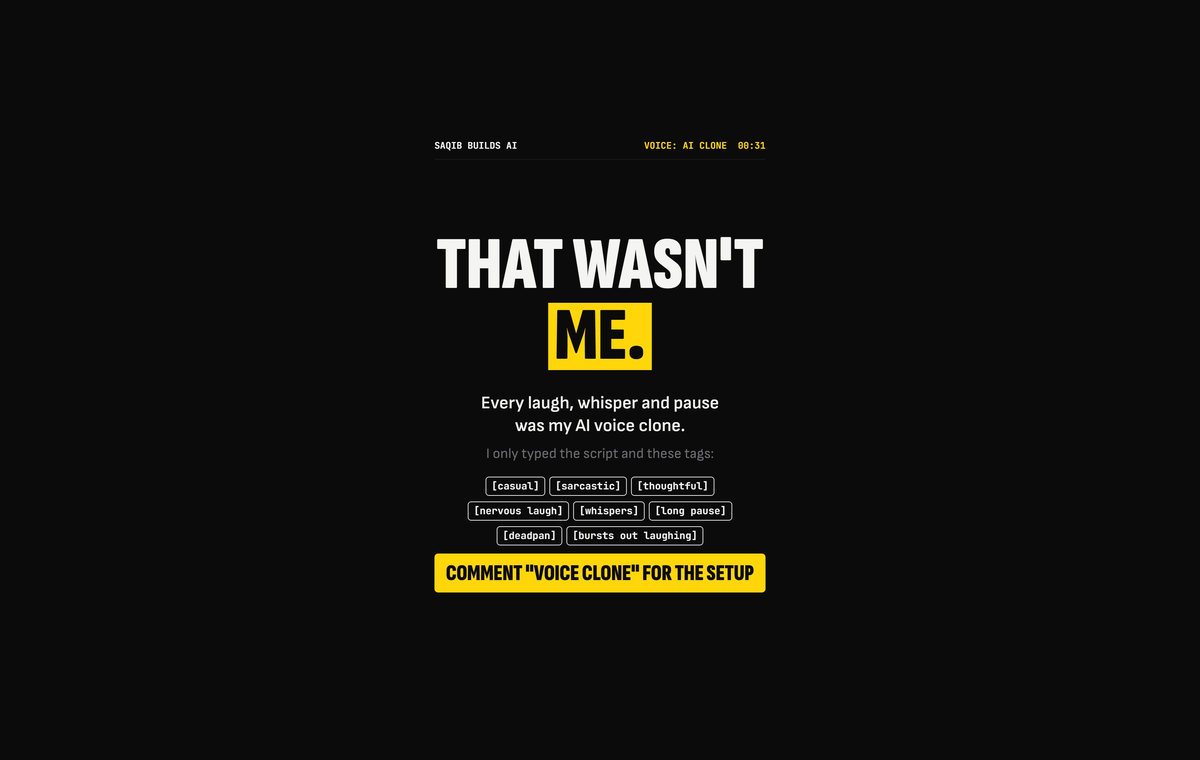
Some other ways to use your clone:
- Voiceovers for reels and carousels when you can’t record.
- Fixing one wrong word in a video without filming it again.
- Voice notes for your audience in another language.
- Product demos and walkthroughs, read in your own voice.
FAQ
Can I clone my voice on the free plan?
No. The free plan doesn’t include voice cloning. Instant Voice Cloning starts on Starter, and Professional Voice Cloning starts on Creator. Check the current prices on the ElevenLabs site, they change often.
How long should my sample be?
About 1 to 2 minutes of clean audio. The minimum is 10 seconds in total, but short samples sound less like you.
Why does my clone sound robotic or echoey?
Almost always the sample. Record again in a smaller, quieter room with the mic closer, and keep one steady speaking style.
Do audio tags work with every model?
No. They work on Eleven v4, Eleven v4 Turbo and Eleven v3. Pick one of those in the model menu.
Is it legal to use my AI voice in ads?
Paid plans include a commercial licence, but read ElevenLabs’ current terms before you run ads. Don’t clone anyone else without written permission, and tell your audience when a voice is AI.
What to do next
Write a 30 second script about something you say all the time, add three tags, and generate it tonight. Start with ElevenLabs here. If you want AI like this answering enquiries and bookings for your business, message me on WhatsApp.
Free tutorials
Want the next tutorial first?
Leave your details and each new one comes to your inbox and WhatsApp.
You're in.
Thanks. The next tutorial comes straight to your inbox and WhatsApp.

I build booking systems, websites and AI automation for padel clubs, gyms and leisure venues. 56 projects delivered on Upwork with 100% Job Success.